How to Design and Build a Local Large Language Model from Scratch
January 14, 2026 · llms machine-learning nlp local-ai transformer-architecture
How to Design and Build a Local Large Language Model from Scratch
Introduction
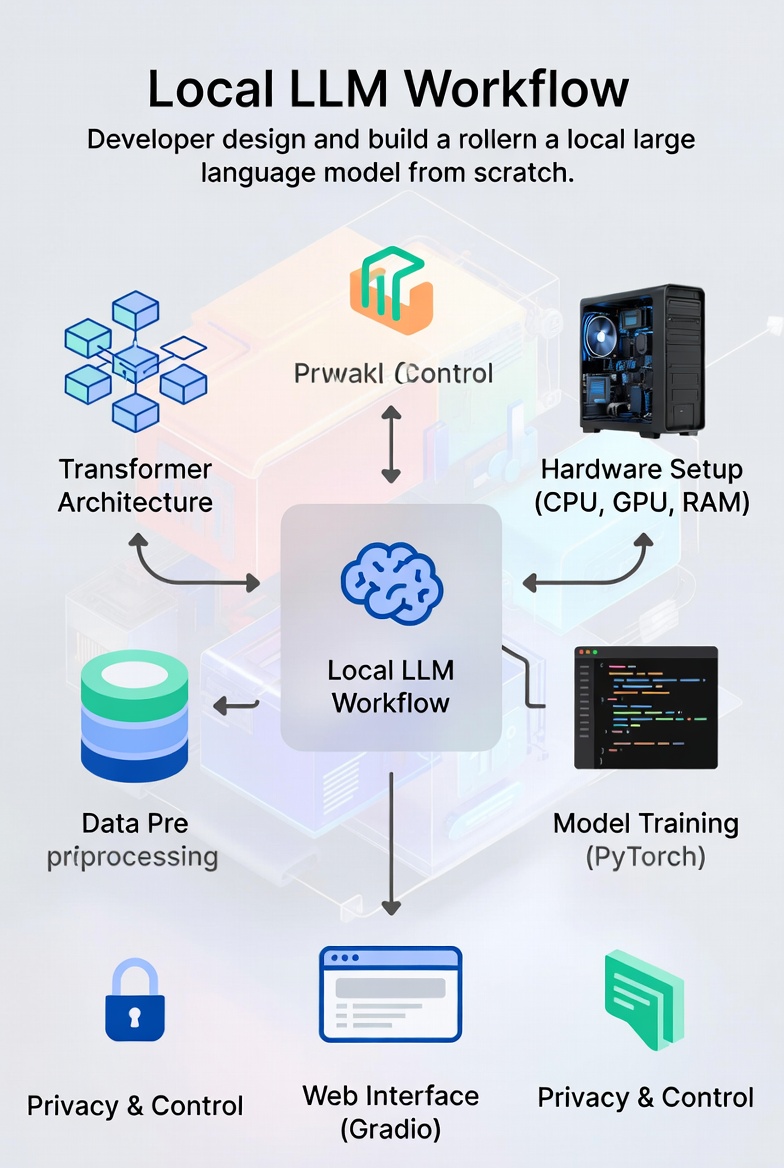
Building a Large Language Model (LLM) that runs locally has become increasingly feasible with advances in model architecture, training techniques, and hardware acceleration. Unlike cloud-based models, local LLMs offer:
- Privacy: No data leaves your device
- Control: Full customization of model behavior
- Cost Efficiency: No API calls or subscription fees
- Offline Access: Works without internet connectivity
This guide provides a comprehensive, step-by-step approach to designing and implementing a functional local LLM, suitable for developers with intermediate machine learning knowledge.
1. Foundation: Understanding LLM Architecture
1.1 Transformer Basics
Modern LLMs are built on the Transformer architecture introduced in Attention Is All You Need (Vaswani et al., 2017). The core innovation is self-attention, which allows the model to weigh the importance of different tokens in context:
\[ext{Attention}(Q, K, V) = ext{softmax}\left(\frac{QK^T}{\sqrt{d_k}}\right)V\]Where:
- $Q$ = Query matrix (what we’re looking for)
- $K$ = Key matrix (what we have)
- $V$ = Value matrix (what we return)
- $d_k$ = Dimensionality of keys
1.2 Decoder-Only Architecture
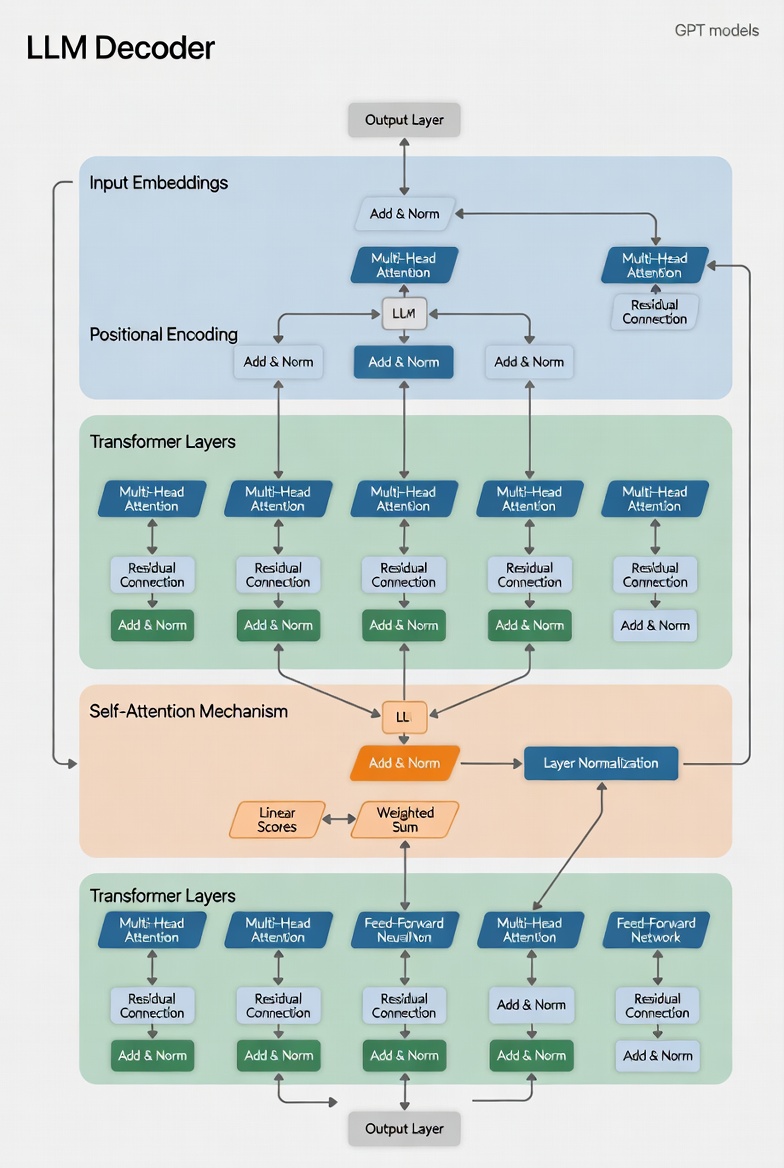
For local LLMs, we’ll focus on decoder-only architectures (like GPT models) because:
- They’re simpler to implement than encoder-decoder models
- They’re more efficient for text generation tasks
- They require fewer computational resources
2. Design Phase: Defining Model Requirements
2.1 Hardware Considerations
Before starting, assess your available hardware:
| Hardware Component | Minimum Requirement | Recommended |
|---|---|---|
| CPU | 8-core, 2.5 GHz+ | 16-core, 3.5 GHz+ |
| GPU | 8GB VRAM (NVIDIA) | 24GB+ VRAM (NVIDIA RTX 3090/4090) |
| RAM | 16GB | 64GB+ |
| Storage | 100GB SSD | 2TB NVMe SSD |
2.2 Model Specifications
Choose appropriate model hyperparameters based on your use case:
| Hyperparameter | Small Model | Medium Model | Large Model |
|---|---|---|---|
| Embedding Size | 768 | 1024 | 2048 |
| Layers | 12 | 24 | 32 |
| Heads | 12 | 16 | 32 |
| Hidden Size | 3072 | 4096 | 8192 |
| Sequence Length | 512 | 1024 | 2048 |
| Parameters | 110M | 700M | 1.3B |
Note: For local deployment, aim for 700M-1.3B parameters for a good balance of quality and performance.
3. Implementation Phase: Building the Model
3.1 Setting Up the Development Environment
First, create a Python environment with necessary dependencies:
# Create and activate environment
conda create -n local-llm python=3.10
conda activate local-llm

# Install core dependencies
pip install torch torchvision torchaudio --index-url https://download.pytorch.org/whl/cu121
pip install transformers datasets tokenizers sentencepiece
pip install accelerate bitsandbytes peft
pip install numpy pandas matplotlib tqdm
3.2 Tokenization
Implement a custom tokenizer or adapt an existing one for your use case:
from tokenizers import Tokenizer
from tokenizers.models import BPE
from tokenizers.trainers import BpeTrainer
from tokenizers.pre_tokenizers import Whitespace

# Initialize tokenizer
tokenizer = Tokenizer(BPE(unk_token="<UNK>"))
tokenizer.pre_tokenizer = Whitespace()

trainer = BpeTrainer(
    vocab_size=50000,
    special_tokens=[
        "<PAD>",
        "<UNK>",
        "<CLS>",
        "<SEP>",
        "<MASK>",
        "<BOS>",
        "<EOS>"
    ]
)

# Train tokenizer on your dataset
tokenizer.train(files=["data.txt"], trainer=trainer)

# Save tokenizer
tokenizer.save("local-llm-tokenizer.json")
3.3 Model Architecture Implementation
Implement the transformer decoder architecture using PyTorch:
import torch
import torch.nn as nn
import torch.nn.functional as F

class PositionalEncoding(nn.Module):
    def __init__(self, d_model, dropout=0.1, max_len=5000):
        super(PositionalEncoding, self).__init__()
        self.dropout = nn.Dropout(p=dropout)

        position = torch.arange(max_len).unsqueeze(1)
        div_term = torch.exp(torch.arange(0, d_model, 2) * (-torch.log(torch.tensor(10000.0)) / d_model))
        pe = torch.zeros(max_len, 1, d_model)
        pe[:, 0, 0::2] = torch.sin(position * div_term)
        pe[:, 0, 1::2] = torch.cos(position * div_term)
        self.register_buffer('pe', pe)

    def forward(self, x):
        x = x + self.pe[:x.size(0)]
        return self.dropout(x)

class MultiHeadAttention(nn.Module):
    def __init__(self, d_model, num_heads):
        super(MultiHeadAttention, self).__init__()
        assert d_model % num_heads == 0

        self.d_k = d_model // num_heads
        self.num_heads = num_heads

        self.W_q = nn.Linear(d_model, d_model)
        self.W_k = nn.Linear(d_model, d_model)
        self.W_v = nn.Linear(d_model, d_model)
        self.W_o = nn.Linear(d_model, d_model)

    def forward(self, query, key, value, mask=None):
        batch_size = query.size(0)

        # Linear projections and split into heads
        Q = self.W_q(query).view(batch_size, -1, self.num_heads, self.d_k).transpose(1, 2)
        K = self.W_k(key).view(batch_size, -1, self.num_heads, self.d_k).transpose(1, 2)
        V = self.W_v(value).view(batch_size, -1, self.num_heads, self.d_k).transpose(1, 2)

        # Scaled dot-product attention
        scores = torch.matmul(Q, K.transpose(-2, -1)) / torch.sqrt(torch.tensor(self.d_k, dtype=torch.float32))

        if mask is not None:
            scores = scores.masked_fill(mask == 0, -1e9)

        attention = F.softmax(scores, dim=-1)

        # Combine heads and linear projection
        context = torch.matmul(attention, V).transpose(1, 2).contiguous().view(batch_size, -1, self.num_heads * self.d_k)

        return self.W_o(context)

class TransformerDecoderLayer(nn.Module):
    def __init__(self, d_model, num_heads, d_ff, dropout=0.1):
        super(TransformerDecoderLayer, self).__init__()

        self.self_attn = MultiHeadAttention(d_model, num_heads)
        self.feed_forward = nn.Sequential(
            nn.Linear(d_model, d_ff),
            nn.ReLU(),
            nn.Linear(d_ff, d_model)
        )

        self.norm1 = nn.LayerNorm(d_model)
        self.norm2 = nn.LayerNorm(d_model)
        self.dropout = nn.Dropout(dropout)

    def forward(self, x, mask=None):
        # Self-attention with residual connection
        x2 = self.norm1(x)
        x = x + self.dropout(self.self_attn(x2, x2, x2, mask))

        # Feed-forward with residual connection
        x2 = self.norm2(x)
        x = x + self.dropout(self.feed_forward(x2))

        return x

class LocalLLM(nn.Module):
    def __init__(self, vocab_size, d_model=1024, num_layers=24, num_heads=16, d_ff=4096, max_seq_len=1024, dropout=0.1):
        super(LocalLLM, self).__init__()

        self.embedding = nn.Embedding(vocab_size, d_model)
        self.pos_encoder = PositionalEncoding(d_model, dropout, max_seq_len)

        self.decoder_layers = nn.ModuleList([
            TransformerDecoderLayer(d_model, num_heads, d_ff, dropout)
            for _ in range(num_layers)
        ])

        self.norm = nn.LayerNorm(d_model)
        self.fc_out = nn.Linear(d_model, vocab_size)

    def forward(self, x, mask=None):
        # Embedding and positional encoding
        embedded = self.embedding(x)
        x = self.pos_encoder(embedded.transpose(0, 1)).transpose(0, 1)

        # Pass through decoder layers
        for layer in self.decoder_layers:
            x = layer(x, mask)

        # Final normalization and linear layer
        x = self.norm(x)
        output = self.fc_out(x)

        return output

# Initialize model
vocab_size = tokenizer.get_vocab_size()
model = LocalLLM(vocab_size=vocab_size, d_model=1024, num_layers=24, num_heads=16, d_ff=4096)
print(f"Model parameters: {sum(p.numel() for p in model.parameters()) / 10**6:.0f}M")
4. Training Phase: Preparing and Using Data
4.1 Data Collection
Gather a diverse text corpus for training:
- Open-source datasets:
- Data filtering:
- Remove duplicates
- Filter low-quality content
- Normalize encoding
- Tokenize and split into chunks
4.2 Data Processing Pipeline
Implement an efficient data loading pipeline:
from datasets import load_dataset
from torch.utils.data import Dataset, DataLoader

class LLMDataset(Dataset):
    def __init__(self, dataset_name, tokenizer_path, max_length=1024):
        self.dataset = load_dataset(dataset_name, split="train", streaming=True)
        self.tokenizer = Tokenizer.from_file(tokenizer_path)
        self.max_length = max_length

    def __len__(self):
        return 1000000  # Approximate size for streaming dataset

    def __getitem__(self, idx):
        item = next(iter(self.dataset.skip(idx)))
        text = item["text"]

        # Tokenize and truncate/pad
        encoding = self.tokenizer.encode(text)
        tokens = encoding.ids[:self.max_length-1]

        # Create input and target
        input_ids = tokens[:-1]
        target_ids = tokens[1:]

        # Pad to max length
        input_ids = input_ids + [self.tokenizer.token_to_id("<PAD>")] * (self.max_length - len(input_ids))
        target_ids = target_ids + [self.tokenizer.token_to_id("<PAD>")] * (self.max_length - len(target_ids))

        return torch.tensor(input_ids), torch.tensor(target_ids)

# Create dataset and dataloader
dataset = LLMDataset("wikipedia", "local-llm-tokenizer.json")
dataloader = DataLoader(dataset, batch_size=4, shuffle=True, num_workers=4)
4.3 Training Loop
Implement the training loop with optimization techniques:
import torch.optim as optim
from transformers import get_linear_schedule_with_warmup

# Configure training parameters
epochs = 3
batch_size = 4
learning_rate = 5e-5
warmup_steps = 1000

# Set up optimizer and scheduler
optimizer = optim.AdamW(model.parameters(), lr=learning_rate)
total_steps = len(dataloader) * epochs
scheduler = get_linear_schedule_with_warmup(optimizer, num_warmup_steps=warmup_steps, num_training_steps=total_steps)

# Move model to GPU if available
device = torch.device("cuda" if torch.cuda.is_available() else "cpu")
model.to(device)

# Training loop
for epoch in range(epochs):
    model.train()
    total_loss = 0

    for step, (input_ids, target_ids) in enumerate(dataloader):
        input_ids = input_ids.to(device)
        target_ids = target_ids.to(device)

        # Create causal mask
        batch_size, seq_len = input_ids.shape
        mask = torch.tril(torch.ones(seq_len, seq_len)).expand(batch_size, 1, seq_len, seq_len).to(device)

        # Forward pass
        outputs = model(input_ids, mask=mask)
        loss = F.cross_entropy(outputs.view(-1, vocab_size), target_ids.view(-1), ignore_index=tokenizer.token_to_id("<PAD>"))

        # Backward pass and optimization
        optimizer.zero_grad()
        loss.backward()
        optimizer.step()
        scheduler.step()

        total_loss += loss.item()

        # Log progress
        if step % 100 == 0:
            avg_loss = total_loss / (step + 1)
            print(f"Epoch {epoch+1}/{epochs}, Step {step}/{len(dataloader)}, Loss: {avg_loss:.4f}")

    # Save checkpoint
    torch.save({
        'epoch': epoch,
        'model_state_dict': model.state_dict(),
        'optimizer_state_dict': optimizer.state_dict(),
        'loss': total_loss / len(dataloader),
    }, f'local-llm-checkpoint-{epoch+1}.pth')
5. Optimization Phase: Making It Run Locally
5.1 Model Quantization
Reduce model size and improve inference speed:
# Dynamic quantization
quantized_model = torch.quantization.quantize_dynamic(
    model,
    {nn.Linear},  # Layers to quantize
    dtype=torch.qint8  # Quantization type
)

# Save quantized model
torch.save(quantized_model.state_dict(), "local-llm-quantized.pth")
5.2 LoRA Fine-Tuning
For limited hardware, use Low-Rank Adaptation (LoRA) to fine-tune pre-trained models:
from peft import LoraConfig, get_peft_model

# Configure LoRA
lora_config = LoraConfig(
    r=8,  # Rank
    lora_alpha=32,  # Scaling factor
    target_modules=["q_proj", "v_proj"],  # Target layers
    lora_dropout=0.05,
    bias="none"
)

# Apply LoRA to model
lora_model = get_peft_model(model, lora_config)
print(f"LoRA model parameters: {sum(p.numel() for p in lora_model.parameters() if p.requires_grad) / 10**6:.0f}M")
5.3 Inference Optimization
Optimize inference for local deployment:
# Generate text with optimized inference
@torch.inference_mode()
def generate_text(prompt, max_length=50, temperature=0.7, top_k=50):
    model.eval()

    # Encode prompt
    encoding = tokenizer.encode(prompt)
    input_ids = torch.tensor(encoding.ids, device=device).unsqueeze(0)

    for _ in range(max_length):
        # Create causal mask
        seq_len = input_ids.shape[1]
        mask = torch.tril(torch.ones(seq_len, seq_len)).expand(1, 1, seq_len, seq_len).to(device)

        # Forward pass
        outputs = model(input_ids, mask=mask)
        next_token_logits = outputs[:, -1, :]

        # Apply temperature
        next_token_logits = next_token_logits / temperature

        # Apply top-k sampling
        top_k_val, top_k_idx = torch.topk(next_token_logits, top_k, dim=-1)
        probs = F.softmax(top_k_val, dim=-1)
        next_token_idx = torch.multinomial(probs, num_samples=1)
        next_token = top_k_idx[0, next_token_idx]

        # Append generated token
        input_ids = torch.cat([input_ids, next_token.unsqueeze(0)], dim=1)

        # Stop if EOS token is generated
        if next_token.item() == tokenizer.token_to_id("<EOS>"):
            break

    # Decode and return generated text
    generated_ids = input_ids[0].tolist()
    return tokenizer.decode(generated_ids)

# Test generation
generated_text = generate_text("The future of artificial intelligence is", max_length=100)
print("Generated text:", generated_text)
6. Deployment Phase: Creating a Local Interface
6.1 Web Interface with Gradio
Create a simple web interface for local use:
import gradio as gr

def generate(prompt, max_length, temperature, top_k):
    return generate_text(prompt, max_length=max_length, temperature=temperature, top_k=top_k)

# Create Gradio interface
interface = gr.Interface(
    fn=generate,
    inputs=[
        gr.Textbox(label="Prompt", placeholder="Enter your prompt here..."),
        gr.Slider(minimum=50, maximum=500, value=200, label="Max Length"),
        gr.Slider(minimum=0.1, maximum=2.0, value=0.7, label="Temperature"),
        gr.Slider(minimum=10, maximum=100, value=50, label="Top-K")
    ],
    outputs=gr.Textbox(label="Generated Text"),
    title="Local LLM Interface",
    description="A locally hosted large language model for text generation.",
    theme="huggingface"
)

# Launch interface
interface.launch(share=False)  # Set to True for public sharing (requires internet)
6.2 Command-Line Interface
Create a CLI for script-based usage:
# cli.py
import argparse

def main():
    parser = argparse.ArgumentParser(description="Local LLM Text Generator")
    parser.add_argument("--prompt", type=str, required=True, help="Input prompt")
    parser.add_argument("--max-length", type=int, default=200, help="Maximum output length")
    parser.add_argument("--temperature", type=float, default=0.7, help="Sampling temperature")
    parser.add_argument("--top-k", type=int, default=50, help="Top-k sampling")

    args = parser.parse_args()
    generated_text = generate_text(args.prompt, args.max_length, args.temperature, args.top_k)

    print("\n=== Generated Text ===")
    print(generated_text)

if __name__ == "__main__":
    main()
7. Evaluation Phase: Assessing Model Performance
7.1 Quantitative Metrics
Evaluate model performance using standard NLP metrics:
from nltk.translate.bleu_score import sentence_bleu
from rouge_score import rouge_scorer

# Sample reference texts
references = [
    "The quick brown fox jumps over the lazy dog",
    "Artificial intelligence is transforming our world"
]

# Generated texts
generated = [
    "The fast brown fox leaps over the sleeping dog",
    "AI is changing how we live and work"
]

# BLEU score
bleu_scores = []
for ref, gen in zip(references, generated):
    ref_tokens = ref.split()
    gen_tokens = gen.split()
    score = sentence_bleu([ref_tokens], gen_tokens)
    bleu_scores.append(score)
print(f"Average BLEU score: {sum(bleu_scores)/len(bleu_scores):.4f}")

# ROUGE score
scorer = rouge_scorer.RougeScorer(['rouge1', 'rouge2', 'rougeL'], use_stemmer=True)
for ref, gen in zip(references, generated):
    scores = scorer.score(ref, gen)
    print(f"ROUGE scores: {scores}")
7.2 Qualitative Evaluation
Assess model quality through human evaluation:
| Evaluation Category | Criteria |
|---|---|
| Coherence | Does the text flow logically? |
| Relevance | Does it stay on topic? |
| Grammaticality | Are sentences grammatically correct? |
| Creativity | Does it generate novel content? |
| Factuality | Is the information accurate? |
8. Best Practices and Challenges
8.1 Key Best Practices
- Start small: Begin with a smaller model and scale up
- Use mixed precision: Train with float16 for faster performance
- Data quality over quantity: Focus on high-quality, diverse text
- Monitor training: Track loss, perplexity, and sample outputs
- Regular checkpoints: Save model periodically to prevent data loss
8.2 Common Challenges
- Memory constraints: Use gradient checkpointing and model parallelism
- Training time: Expect days to weeks of training for good results
- Overfitting: Implement dropout, weight decay, and early stopping
- Inference speed: Use quantization and ONNX runtime
- Text quality: Fine-tune on domain-specific data for better results
9. Next Steps: Further Improvements
- Expand vocabulary: Use subword tokenization for better coverage
- Add special tokens: Support for different languages and tasks
- Implement attention mechanisms: FlashAttention for faster training
- Add generation techniques: Beam search, nucleus sampling
- Create an API: Deploy as a local REST API for integration
Conclusion
Building a local LLM from scratch is a challenging but rewarding project that provides valuable insights into modern AI technology. By following this guide, you can create a functional model tailored to your specific needs while maintaining full control over your data and infrastructure.
Remember that success requires patience, experimentation, and continuous learning. Start small, iterate often, and don’t be afraid to adjust your approach as you gain experience.
“The best way to learn is to build.” — Andrew Ng
References
- Vaswani, A., et al. (2017). “Attention Is All You Need.” Advances in Neural Information Processing Systems.
- Brown, T. B., et al. (2020). “Language Models are Few-Shot Learners.” arXiv preprint arXiv:2005.14165.
- Radford, A., et al. (2018). “Improving Language Understanding by Generative Pre-Training.” OpenAI Blog.
- Hu, E. J., et al. (2021). “LoRA: Low-Rank Adaptation of Large Language Models.” arXiv preprint arXiv:2106.09685.
- https://pytorch.org/tutorials/
- https://huggingface.co/docs/
Last updated: January 15, 2026